

In December 2013, conzept 16 version 5.7.06 was released. In this article, we would like to introduce you to some of the new features in this version.
Navigation im Editor
By double-clicking on a function call while holding down the Ctrl key, you can quickly jump to the corresponding function without having to search for it. This is particularly helpful in procedures that contain a large number of functions. If you have made several jumps and have not used bookmarks, it is easy to lose track of the jumps you have made. To counteract this, it is now possible to jump back to the function call using the navigation history.
Creating form objects in the Designer
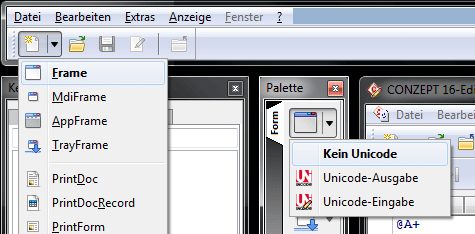 Menu buttons
A menu button has been added to the designer toolbar, which can be used to create different shape objects and menus. Furthermore, the palette in the “Shape” tab now also contains menu buttons that can be used to define the Unicode mode of the objects.
Clicking on the left side of the menu buttons will use the default settings for the created objects.
Text entry dialog
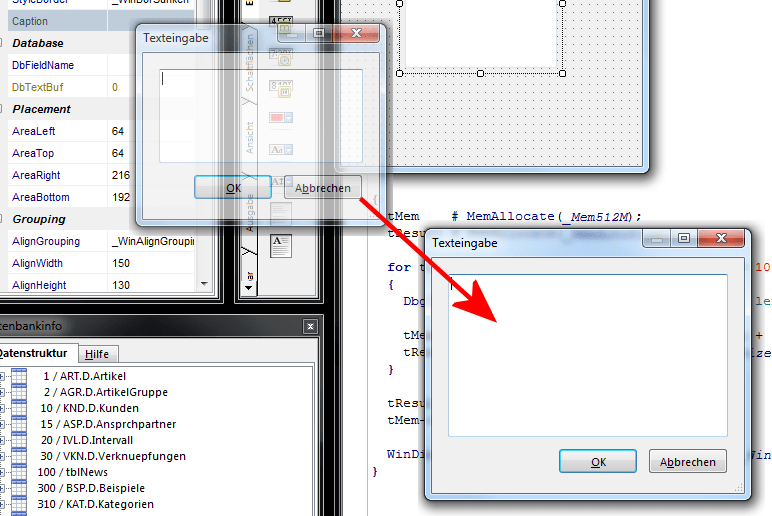 Variable-size text input dialog
The text input dialog box that opens when you double-click, for example, on the Caption property, can be resized as desired. The size is stored separately for the Designer and Object Editor properties in the user profile.