
A new release for Conzept 16 is now available, featuring these highlights:
- A modernized look for the development environment
- Greater organization and clarity in development
- Simplified use of yeet with conzept 16
- Online help
In addition, with add-ons in the following areas:
Compatibility Notes
Highlights
A modernized look for the development environment
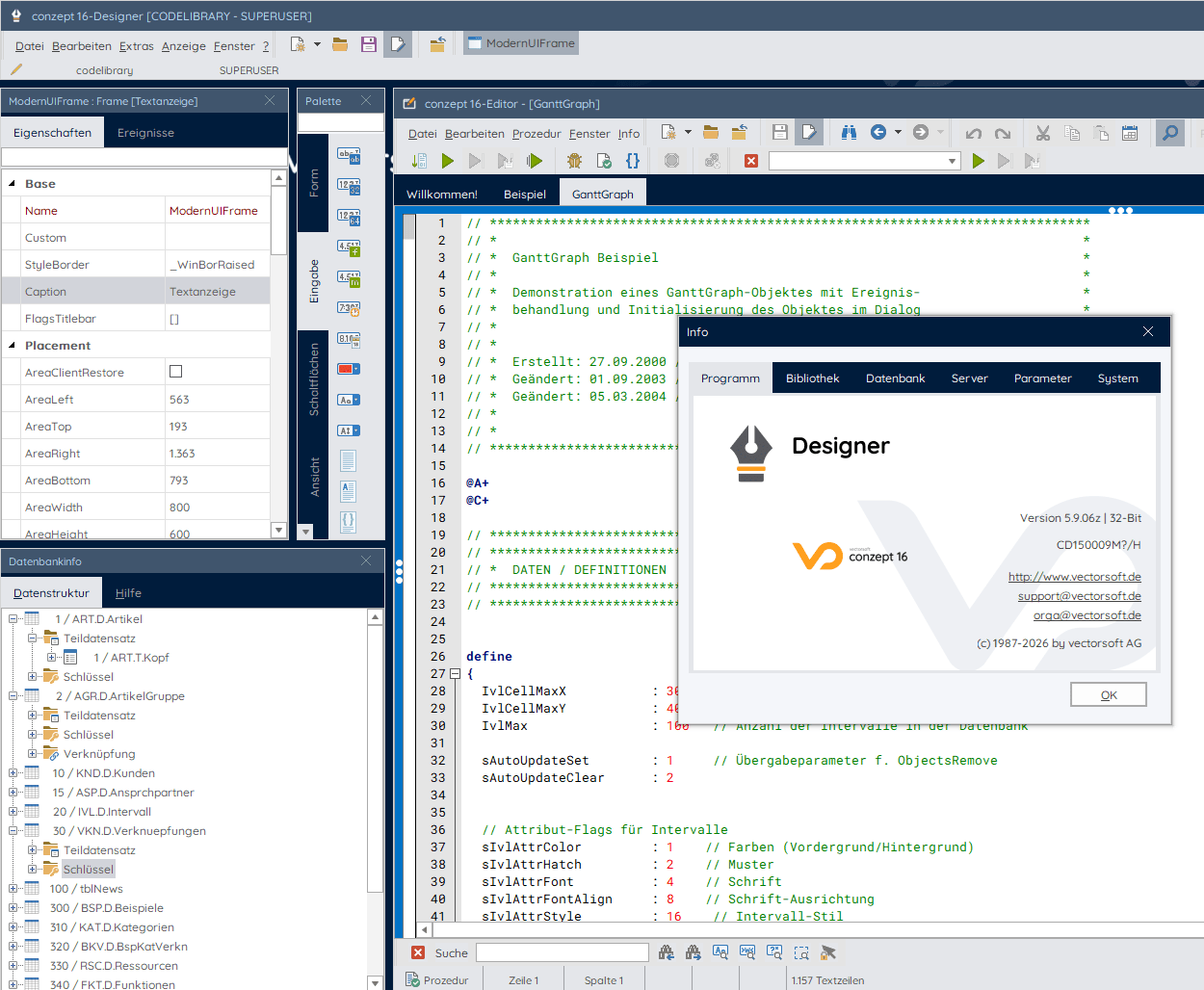
After a long time, conzept 16 is getting a fresh facelift. The new design brings the development environment up to date visually and ensures greater clarity, a better overview, and a more pleasant everyday work experience. Nothing has changed in terms of workflows or structure. Everything works as usual—without any adjustments or extra effort. Only the visual appearance has been modernized so that conzept 16 feels even better without changing its proven way of working.
Color scheme and typography
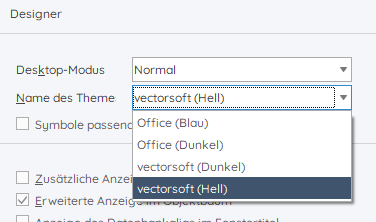
The development environment now includes two new themes: vectorsoft light and vectorsoft dark. When you first launch the application, the Designer and Debugger appear in the new light theme. You can select and activate any of the available themes through the settings.
The following screenshot shows the development environment with its new look.
Iconography
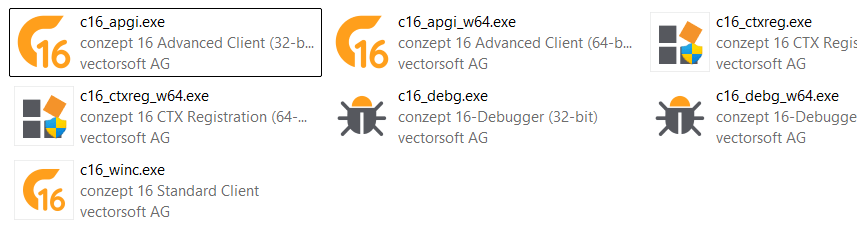
The icons for the conzept 16 program components have also been redesigned. The following screenshot shows how they appear in Windows Explorer.
Outlook
The redesign of concept 16 is being carried out in several phases. Further updates are planned, such as improvements to the web administration.
Greater organization and clarity in development
The Open and Save dialogs in the development environment are the primary tools for accessing items stored in the database, such as dialogs, images, and procedures. In the new version, sorting and grouping features have been added to the dialogs.
Sorting
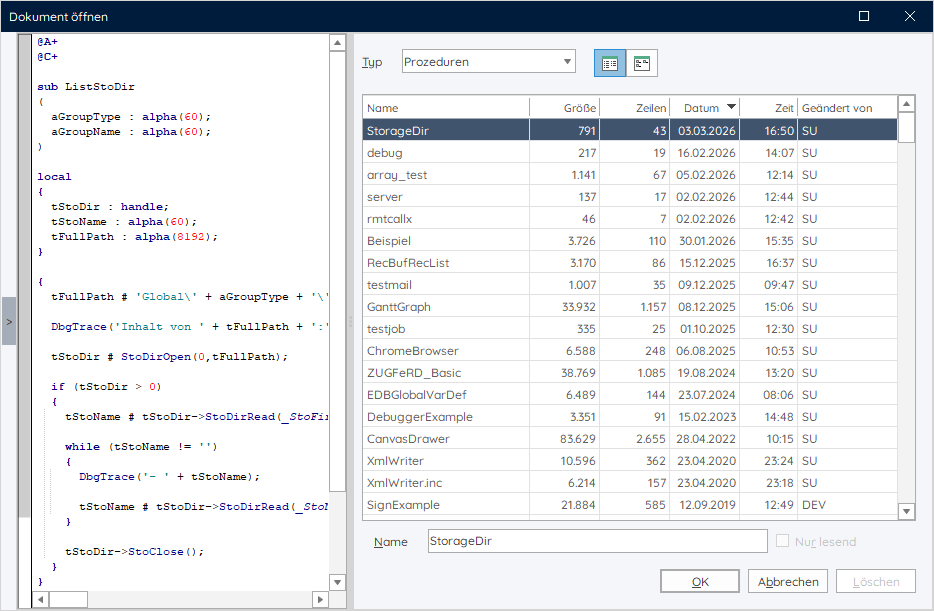
What was the name of that procedure I created recently? You can easily find out using the sort feature. Clicking on a column sorts the data by that column. Clicking the same column again reverses the sort order. Clicking the date or time column sorts the data by date and time.
Grouping
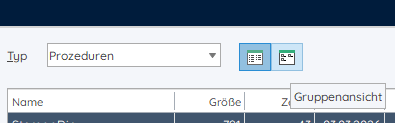
The list of existing dialogs, procedures, and images can grow quickly over time. The group view helps you keep track of everything. You can activate the new view by clicking the “Group View” button. Of course, you can switch between the new view and the familiar list view at any time.
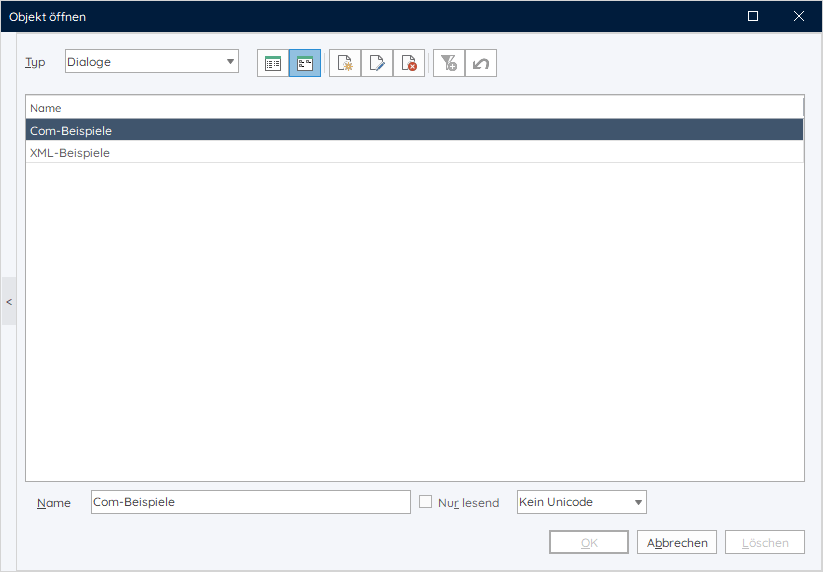
The Group View allows you to create groups to organize elements such as procedures and dialogs. The following screenshot shows two dialog groups intended to contain COM and XML examples, respectively.
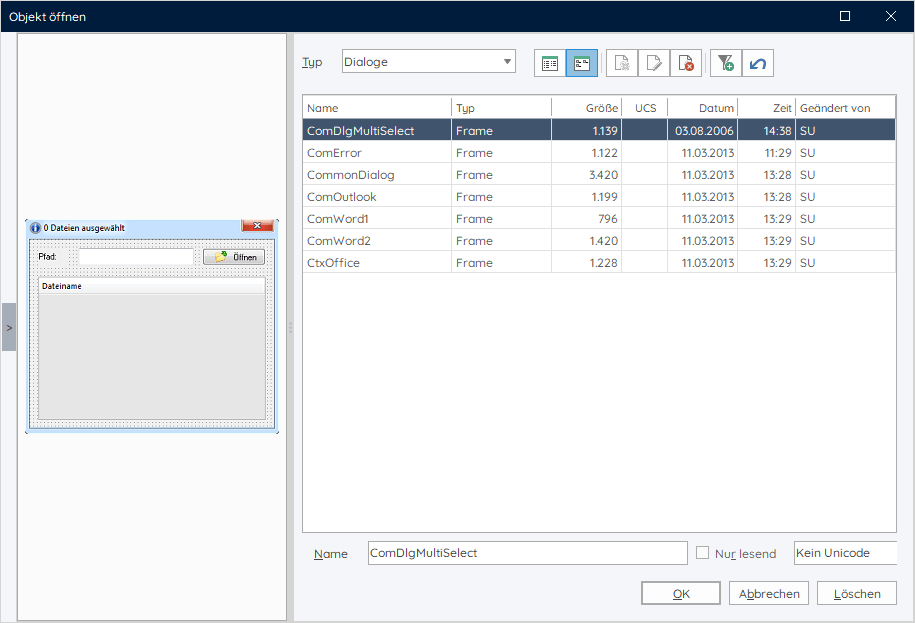
Double-clicking the group name opens the group. The screenshot below shows the contents of the “Com Examples” group.
The groups created by the user are available to all users of the database.
Simplified use of yeet with conzept 16
When used in conjunction with the yeet setup, setting up and using Conzept 16 databases with yeet is significantly simplified.
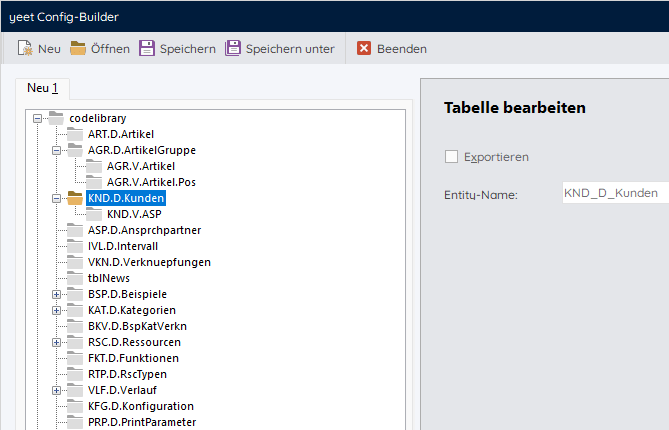
The Conzept 16 tables and links to be used in yeet can be easily selected in the Config Builder and saved as a configuration. The yeet Setup automatically sets up the yeet database(s) and configuration based on the configuration. The yeet Config Builder can be accessed in the Designer under the ”Extras” menu item.
Online Help
The conzept 16 documentation contains comprehensive information on all aspects of conzept 16. Integrated directly into the development environment, the documentation is an indispensable reference tool, not least for conzept 16 developers. With the release of the new version, the help file, which is available as Compiled HTML, is now also available in an online version.
vectorsoft generates and maintains both the online help and the help file from the same source, so that in the future there will be another online information source available in addition to the tried-and-true Compiled HTML Help.
The documentation comprises over 8,000 pages. During the implementation process, the layout of the online help was also adapted to the current vectorsoft design. As a result, minor display errors cannot be entirely ruled out in this first available online version.
Compatibility Notes
Operating systems that are no longer supported
As previously announced, this version is no longer compatible with the following operating systems:
- Windows 7
- Windows 8/8.1
- Windows Server 2008 R2
- Windows Server 2012 R2
The supported Windows operating systems are:
- Windows 10/11
- Windows Server 2016, 2019, 2022, 2025
Extensions
conzept 16 | All components
- OpenSSL
- The OpenSSL library has been updated to version 3.5.2 (LTS until 2030). This version includes bug fixes.
conzept 16 | Server
- License examination
- The number of processors is no longer taken into account during the license check performed by the database server.
conzept 16 | API
- Dynamic selections
- The API has been expanded to include commands for creating dynamic selections.
- Application Manifest
- An application manifest is required for custom applications (executables) that link to the programming interface or load the DLL interface. No manifest is required when running from a conzept 16 program component.
conzept 16 | Standard and Advanced Client
- Code Intelligence
- When the autocomplete list is open, the content is now filtered and performance is optimized for display.
- The editor’s context menu has been expanded to include the “Extract Function” option. A function is generated from the selected code. The function can still be modified in the dialog box that appears.
- The tooltips for function arguments have been improved.
- The status bar in the editor displays the indexing status.
- Login
- Databases protected by a server password can now also be opened in the Advanced Client login dialog. The dialog has been updated to include a field for entering the password.
- Commands
- The _DbgCallStackContinuous option has been added to DbgControl(). This function is used to continuously log function calls to a file. The file name must first be set using the new _DbgDumpSetLocation option via DbgDump().
- NetInfo() has been expanded to include two new options: _NtiAddressAllIPv4 and _NtiAddressIPv6. These options allow you to retrieve a list of the IPv4 and IPv6 addresses available on the system.
conzept 16 | Chromium
- Chromium Update
- The Chromium components have been updated to version ‘138.0.34+ga94b31b+chromium-138.0.7204.184’.
- Includes security-critical bug fixes.
The new conzept 16 version is now available in the Customer Center.
Further information on the topics presented here can be found in the conzept 16 documentation.