
Ein neues Release für conzept 16 steht bereit mit diesen Highlights:
- Modernisierter Look für die Entwicklungsumgebung
- Mehr Ordnung und Übersicht bei der Entwicklung
- Vereinfachte Nutzung von yeet mit conzept 16
- Online-Hilfe
Zudem mit Erweiterungen in den Bereichen:
Kompatibilitätshinweise
Highlights
Modernisierter Look für die Entwicklungsumgebung
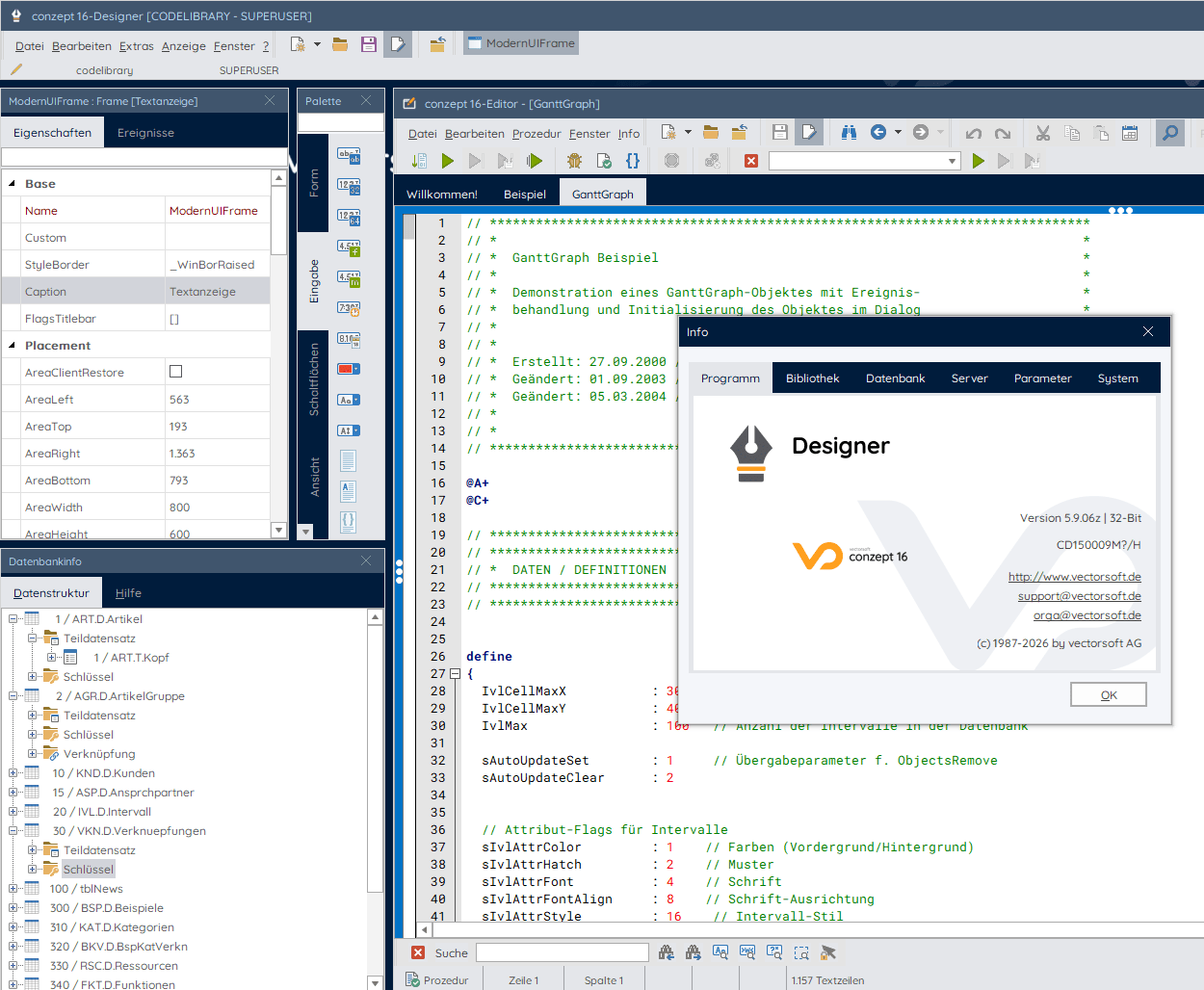
Nach langer Zeit bekommt conzept 16 ein frisches Facelift. Das neue Design bringt die Entwicklungsumgebung optisch up to date und sorgt für mehr Klarheit, bessere Übersicht und ein angenehmeres Arbeiten im Alltag. An Abläufen und Struktur ändert sich nichts. Alles funktioniert wie gewohnt – ohne Umstellung oder Mehraufwand. Es wurde ausschließlich das Erscheinungsbild modernisiert, damit sich conzept 16 noch besser anfühlt, ohne seine bewährte Arbeitsweise zu verändern.
Farbgebung und Schriftbild
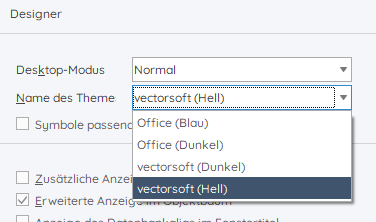
Die Entwicklungsumgebung wurde mit zwei neuen Themes ausgestattet: vectorsoft hell und vectorsoft dunkel. Beim ersten Start präsentieren sich Designer und Debugger im neuen hellen Theme. Über die Einstellungen können alle vorhandenen Themes ausgewählt und aktiviert werden.
Der folgende Screenshot zeigt die Entwicklungsumgebung im neuen Look.
Ikonographie
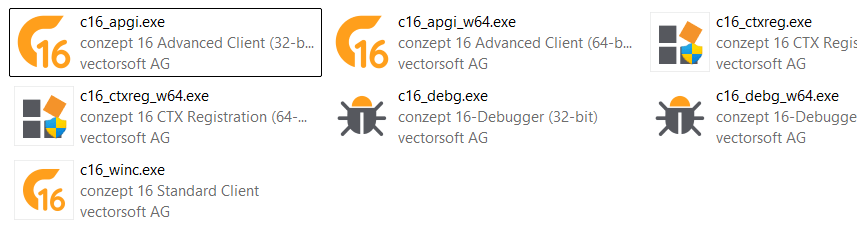
Die Symbole für die conzept 16-Programmkomponenten wurden ebenfalls einem Re-design unterzogen. Der folgende Screenshot zeigt die Darstellung im Windows-Explorer.
Ausblick
Die Umgestaltung von conzept 16 läuft in mehreren Phasen ab. So sind weitere Anpassungen geplant, wie beispielsweise die Web-Administration.
Mehr Ordnung und Übersicht bei der Entwicklung
Die Öffnen- und Speichern-Dialoge in der Entwicklungsumgebung sind die zentralen Anlaufstellen, um auf in der Datenbank gespeicherte Elemente, wie Dialoge, Bilder und Prozeduren zuzugreifen. In der neuen Version wurden die Dialoge um Sortierung und Gruppierung erweitert.
Sortierung
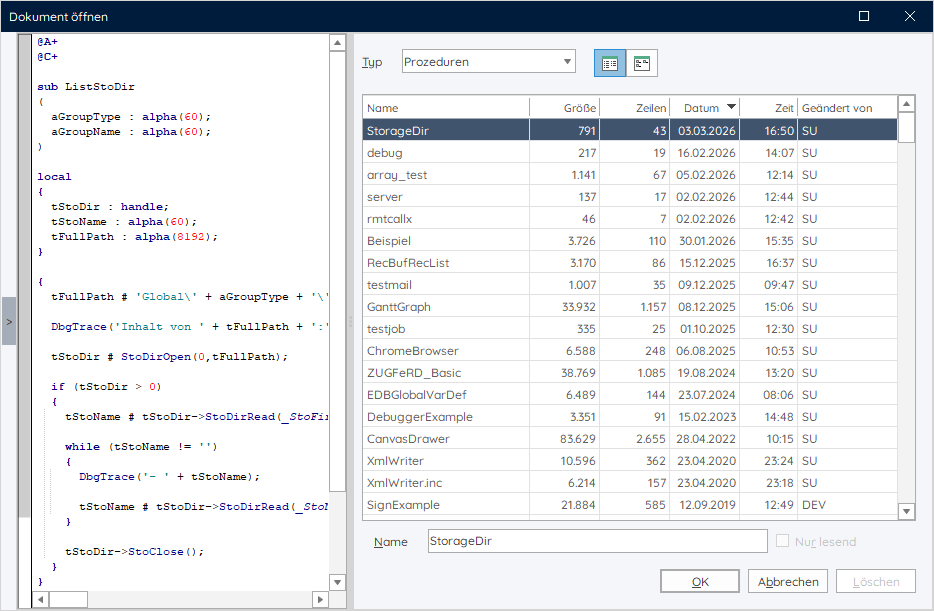
Wie war nochmal der Name der Prozedur, die ich kürzlich angelegt hatte? Mithilfe der Sortierungsmöglichkeit lässt sich das nun einfach herausfinden. Durch Klick auf eine Spalte kann nach dieser sortiert werden. Ein weiterer Klick auf dieselbe Spalte wechselt die Reihenfolge der Sortierung. Bei Klick auf die Datums- oder Zeitspalte wird nach Datum und Zeit sortiert.
Gruppierung
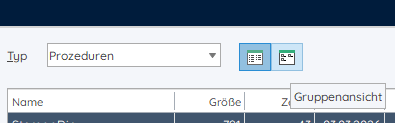
Die Liste der vorhandenen Dialoge, Prozeduren und Bilder kann im Laufe der Zeit schnell anwachsen. Mit der Gruppierungsansicht bleibt die Übersicht gewahrt. Aktiviert wird die neue Ansicht über die Schaltfläche “Gruppenansicht”. Ein Wechsel zwischen der neuen und der bekannten Listenansicht ist natürlich auch jederzeit möglich.
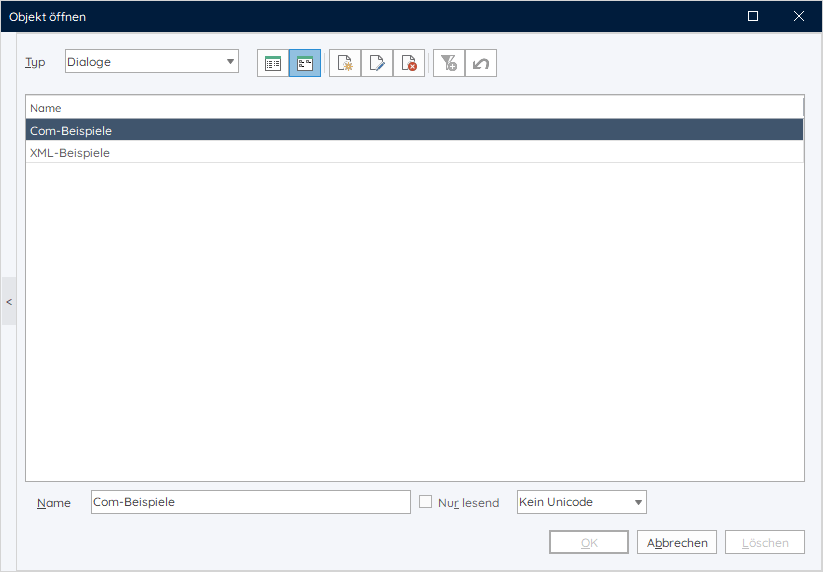
Die Gruppenansicht erlaubt die Erstellung von Gruppen zur Gliederung von Elementen, wie Prozeduren und Dialoge. Der folgende Screenshot zeigt zwei Dialog-Gruppen, die Com- bzw. XML-Beispiele enthalten sollen.
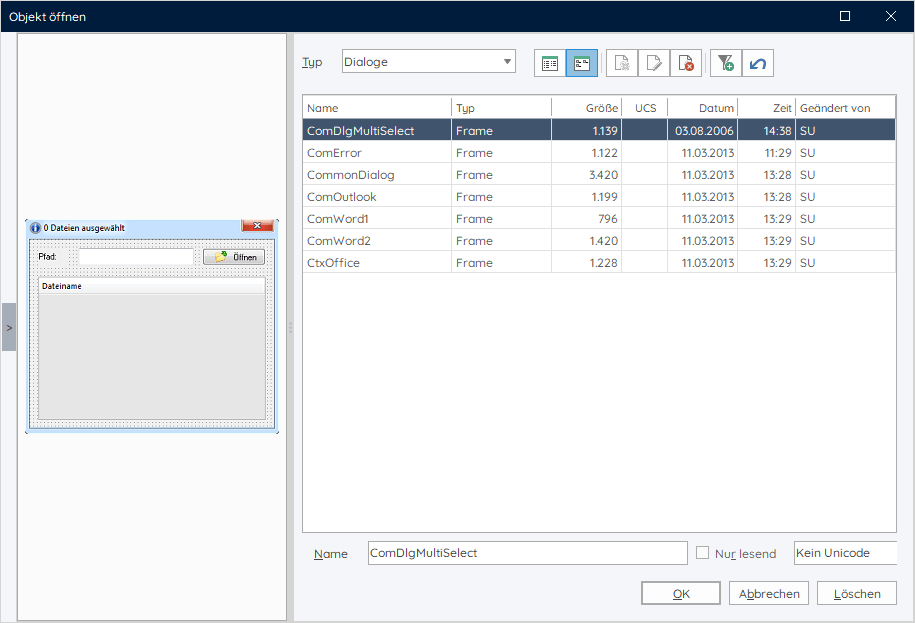
Mit Doppelklick auf den Gruppenname wird die Gruppe geöffnet. Der nachfolgende Screenshot zeigt den Inhalt der Gruppe “Com-Beispiele”.
Die vom Benutzer erstellten Gruppen stehen allen Benutzern der Datenbank global zur Verfügung.
Vereinfachte Nutzung von yeet mit conzept 16
Zusammen mit dem yeet-Setup wird die Einrichtung und Verwendung von conzept 16-Datenbanken mit yeet erheblich vereinfacht.
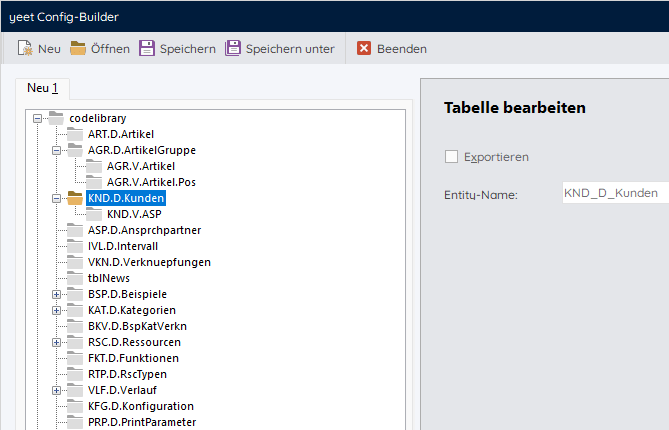
Die in yeet zu verwendenden conzept 16-Tabellen und Links können im Config-Builder komfortabel ausgewählt und als Konfiguration gespeichert werden. Das yeet-Setup richtet anhand der Konfiguration die yeet-Datenbank(en) und die Konfiguration automatisch ein. Erreichbar ist der yeet Config-Builder im Designer unter dem Menüpunkt “Extras”.
Online-Hilfe
Die conzept 16-Dokumentation beinhaltet umfangreiche Informationen zu allen conzept 16-Bereichen. Unmittelbar in die Entwicklungsumgebung integriert, ist die Dokumentation nicht zuletzt auch für conzept 16-Entwickler ein unverzichtbares Nachschlagewerk. Mit dem Release der neuen Version ist die als Compiled HTML vorliegende Hilfe-Datei nun auch in einer Online-Variante verfügbar.
Online-Hilfe und Hilfe-Datei werden von vectorsoft aus derselben Basis generiert und gepflegt, so dass es in Zukunft eine weitere online verfügbare Informationsquelle zusätzlich zur bewährten Compiled HTML-Hilfe gibt.
Die Dokumentation besitzt einen umfangreichen Inhalt von über 8000 Seiten. Bei der Umsetzung wurde auch die Darstellung der Online-Hilfe an das aktuelle vectorsoft Layout angepasst. Kleinere Fehler in der Darstellung können deshalb (bei dieser ersten verfügbaren Online-Version) nicht ganz ausgeschlossen werden.
Kompatibilitätshinweise
Nicht mehr unterstützte Betriebssysteme
Wie bereits angekündigt, ist die Version unter folgenden Betriebssystemen nicht mehr lauffähig:
- Windows 7
- Windows 8/8.1
- Windows Server 2008 R2
- Windows Server 2012 R2
Die unterstützten Windows-Betriebssysteme sind:
- Windows 10/11
- Windows Server 2016, 2019, 2022, 2025
Erweiterungen
conzept 16 | Alle Komponenten
- OpenSSL
- Die OpenSSL-Bibliothek wurde auf Version 3.5.2 (LTS bis 2030) aktualisiert. Die Version enthält Fehlerkorrekturen.
conzept 16 | Server
- Lizenzprüfung
- Die Anzahl der Prozessoren wird bei der Lizenzprüfung durch den Datenbank-Server nicht mehr berücksichtigt.
conzept 16 | API
- Dynamische Selektionen
- Die API wurde um die Befehle für die Erstellung dynamischer Selektionen erweitert.
- Anwendungsmanifest
- Für selbst erstellte Anwendungen (Executables), die die Programmierschnittstelle linken oder die DLL-Schnittstelle laden ist ein Anwendungsmanifest notwendig. Bei Ausführung aus einer conzept 16-Programmkomponente ist kein Manifest notwendig.
conzept 16 | Standard- und Advanced-Client
- Code-Intelligence
- Bei geöffneter Autocomplete-Liste wird nun der Inhalt gefiltert und die Performance für die Bereitstellung optimiert.
- Das Kontextmenü des Editors wurde um den Menüpunkt “Funktion extrahieren” erweitert. Aus dem ausgewählten Code wird eine Funktion generiert. Die Funktion kann im daraufhin erscheinenden Dialog noch verändert werden.
- Die Tooltips für Funktionsargumente wurden verbessert.
- Die Statusbar im Editor zeigt den Status der Indizierung an.
- Login
- Durch Serverkennwort geschützte Datenbanken können nun auch im Login-Dialog des Advanced-Client geöffnet werden. Der Dialog wurde um die Eingabemöglichkeit für das Kennwort erweitert.
- Befehle
- DbgControl() wurde um die Option _DbgCallStackContinuous erweitert. Die Funktion dient zur kontinuierlichen Protokollierung von Funktionsaufrufen in einer Datei. Der Dateiname muss zunächst über die neue Option _DbgDumpSetLocation mittels DbgDump() gesetzt werden.
- NetInfo() wurde um zwei neue Optionen _NtiAddressAllIPv4 und _NtiAddressIPv6 erweitert. Diese ermöglichen die Abfrage einer Liste der auf dem System vorhandenen IPv4- bzw. IPv6-Adressen.
conzept 16 | Chromium
- Chromium-Update
- Die Chromium-Komponenten wurden auf die Version ‘138.0.34+ga94b31b+chromium-138.0.7204.184’ aktualisiert.
- Enthält sicherheitskritische Fehlerkorrekturen.
Die neue conzept 16-Version ist ab sofort im Kundencenter verfügbar.
Weiterführende Informationen zu den hier vorgestellten Themen hält die conzept 16-Dokumentation bereit.